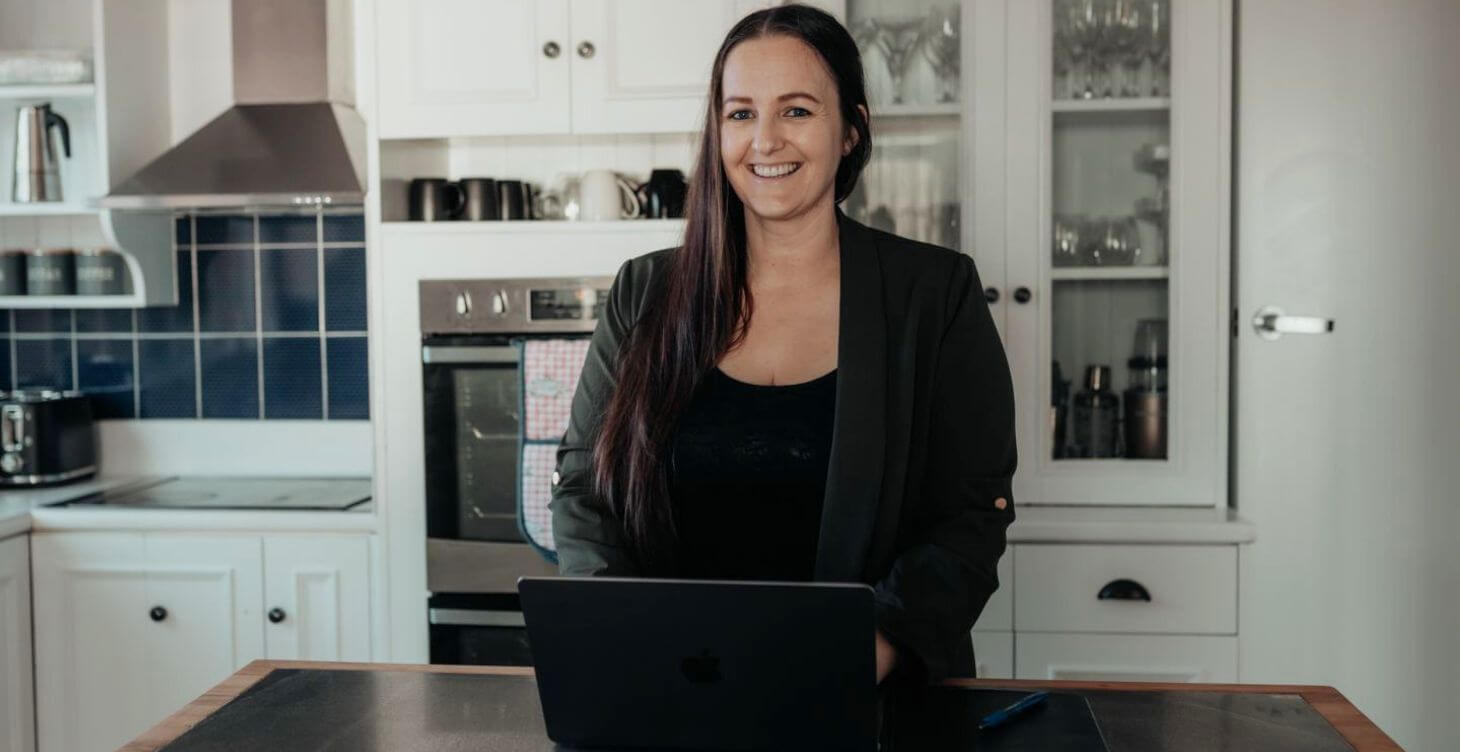
EP 264 WITH ANITA MAC· 28 MIN LISTEN · 5 MIN READ
I have a confession: I thought I was already pretty good at using AI. I’d built custom ChatGPT bots for my membership. I wasn’t just asking it what to cook for dinner – I was using it strategically. Or so I thought.
Then my biz bestie Anita Mac showed me what Claude could actually do, and it broke my brain a little.
Not because I was using AI wrong – but because I had no idea how much of my business I could actually hand off.
Anita’s an AI strategist and self-confessed tech unicorn, and she’s on the podcast this week to walk through exactly what changed for her – Claude versus Claude Code versus the Chrome extension, why she never copy-pastes AI output verbatim, and how she went from a button on her website to a fully built, live sales page in about two hours flat.
LINKS MENTIONED
→ Anita’s Free AI Bestie Setup Gift (use code FRIENDSOFKYLIE for 100% off): bizbestieclub.com/setup
→ Anita’s website: anitamac.com
→ Digital Shop: https://shop.kyliekelly.com
→ My Free Community: Email Marketing Skool
WHAT YOU’LL LEARN IN THIS EPISODE
✅ Why the “human-AI sandwich” keeps AI from replacing your voice
✅ The real difference between Claude.ai, Claude Code, and the Chrome extension
✅ Why Projects are the one Claude feature most people skip (and shouldn’t)
✅ The small habits that stop your Claude account running out of tokens
✅ How Anita built a full sales page – copy, design and all – in under two hours
The human-AI sandwich (why you should never just copy-paste AI output)
The idea Anita kept coming back to is what she calls the human-AI sandwich.
You start with the human element – you tell AI what you want, you give it context, you give it your messy thinking.
Then you let AI do a fair chunk of the work.
Then you bring it back and humanise it again before it ever goes out the door.
“AI should never think for us – it should think with us.”
That last step matters more than people think.
You can absolutely train an AI to sound like you – but Anita still goes back through and changes the odd word, adds her own nuance, puts herself back into it.
Never copy and paste AI verbatim. It can draft your copy. It shouldn’t be the last voice in the room.
Claude.ai vs Claude Code vs the Chrome extension – what’s actually different
There are three ways into Claude, and most people only ever meet the first one.
Claude.ai is the regular website or app version, and for most people, that’s genuinely enough.
Claude Code is a different interface entirely – it talks to the files on your computer in real time, which means it can actually build things: sales pages, waitlist pages, calculators, whole apps. You have to give it permission and set the parameters, but once it’s trained, you can hand it real work.
Then there’s the Chrome extension – or in Anita’s case, the Brave browser version. It sits in your sidebar and reads whatever site you’re currently on. She used to open client websites in it and ask it to flag every broken link, every button, every piece of copy that needed work – instant, unpaid research assistant. It’s also just a lighter, faster way in: fewer steps between you and the answer means fewer tokens burned getting there.
Projects: the Claude feature most people skip
Inside Claude.ai, a project is essentially its own island. Anything you upload or discuss inside it stays inside it – nothing leaks out, and nothing from your regular chats leaks in. Anita keeps her business branding in its own project, her email marketing in another, so none of it gets muddied by whatever market research or random thought she’s feeding Claude that day.
The payoff is that you only have to explain who you are once.
Upload a text file or markdown doc with your brand story, your offers, your voice – and every new chat inside that project already knows it. You’re not starting from zero every single time.
The small habits that stop your tokens running out
If you’ve ever wondered why you seem to run out of usage after “only” a few questions, it’s because Claude reads the entire conversation from the start, every single time – including a chat that’s been running for two weeks.
A few things Anita does differently:
- She avoids feeding it PDFs, which are heavy on tokens – instead she copies the text out and drops that in directly.
- If she’s working from a Google Doc, she downloads it as a markdown file first, which any AI reads far more efficiently &
- When a chat gets long, she asks for a handoff summary and starts fresh rather than dragging the whole history along with her.
What this actually looks like in practice…
Anita’s membership sales page is the clearest example.
She trained a copywriting skill on her own voice, gave it a brief, and let it draft the copy – that part took about 45 minutes to review and humanise.
She fed the finished copy back into Claude Code, along with the images to choose from, and told it to build.
Thirty-one minutes later, while she was having dinner, it was done. Padding, spacing, layout – the parts that usually eat entire days for someone who actually does web design – handled in under two hours, start to finish!
She’s also built an income calculator that reverse-engineers how many sales she needs to hit a goal, and a scheduled task that reads her end-of-day voice notes and emails her every Friday afternoon celebrating everything she got done that week.
Small builds, real time back.
your next step…
Build Your Own Sales Page With Claude
$27 to learn the exact 4-step method – record, build, refine, publish – that turns a rambling voice memo into real sales copy. No code, no developers, no website builders.
Get Sales Pages with Claude →Guest Spotlight: Anita Mac
Anita Mac is an AI strategist and self-confessed tech unicorn who helps business owners connect the pieces of their business – technology, workflows and AI – so everything finally talks to each other. She’s the founder of Biz Bestie Club, teaching women how to build their own AI brain and put AI to work in every part of their business.
Website: https://anitamac.com
Love this post?
Save it for later:
CLICK HERE TO READ THE FULL TRANSCRIPT
[00:00:00] I’m really big on the human-AI sandwich. I believe that AI should never think for us, it should think with us. So I believe in starting with the human element. You tell it what you want, give it as much context, as much thought, then let AI do a fair chunk of the work.
[00:00:17] And then bring it back and give it the human element. Always humanise it.
[00:00:22] Are you a female business owner frustrated with battling the algorithm and looking for growth strategies that don’t involve awkwardly pointing or dancing online or throwing cash at paid ads? Welcome to the Email Growth Show. I’m your host, Kylie Kelly, visibility and email marketing strategist. I grew my email list from zero to almost 10,000 subscribers in less than two years, and the same is possible for you, too.
[00:00:49] Are you ready to build your email list and start making more money in your online business? Let’s head into today’s episode.
[00:00:58] Anita, welcome to the podcast. I’m so excited to have you.
[00:01:01] Thank you so much for having me here.
[00:01:04] This is so fun. Okay, for everyone listening, Anita and I are like biz besties. We go way back. Way, way, way back. And hilariously, our last call that we had on Zoom was titled “Anita Sorting Kylie’s AI Sh*t Out” or something like that. Which made me laugh. And that’s what we’re talking about today — all things AI, which I’m excited about. But for anyone tuning in that doesn’t know you, couple of sentences — who are you and what do you do? Let’s share it with them.
[00:01:30] I’m a bit of an AI nerd. I’m also a bit of a unicorn strategist when it comes to putting tech together and getting it to talk. I see things from the higher level, but I can also look at somebody else’s business and give them a really clear answer over the parts that they’re duct-taping together, and give them ways to make it work so much more slick, seamless and smooth.
[00:01:53] Yeah, absolutely. And I feel like you were my secret weapon with the AI stuff, ’cause I was — you guys, everyone listening knows me well that I was using it. I was using ChatGPT more than most. I’d built out custom ChatGPT bots for my membership, and I was using it strategically. I wasn’t just asking it what I should cook for dinner. But when I spoke to you about Claude and what you could actually do in Claude, it blew my mind just how strategic it could be and how much it could actually take off my plate.
[00:02:23] So let’s start there for everyone tuning in. Let’s talk a little bit about what you can actually do with Claude. And I want to know — when did you start using it? When did you jump onto the Claude bandwagon?
[00:02:32] To be completely honest, I jumped onto the Claude bandwagon when ChatGPT became really popular. I was a huge advocate for ChatGPT, and I was really loyal, so I would only use Claude for little snippets of my life. It wasn’t until probably the start of this year when I was like, “Okay.” Things like custom GPTs, for example — I used to build a lot of them, and I realised they started getting quite slack in their response, and they weren’t pulling the instructions the same. ChatGPT has definitely shifted in a different direction, so I started shifting my focus to Claude, because more people that I respected in the space — more of my mentors, my peers, everybody — was making the move. And I was like, “Okay, okay, there’s obviously a reason these large business owners are going ahead of the curve and shifting their business.”
[00:03:23] And so I started really deep diving. I found a couple of groups that taught specifically on Claude, because I’m somebody who can’t just take surface-level information — I have to pull it apart, understand it, push the boundaries of what it could do. So I definitely didn’t go into Claude as a regular chat user who would write one sentence and go away. I wanted to know what it could build. I wanted to understand all the different elements. I wanted to understand what Claude Code was. I went all in.
[00:03:55] I love that, and that’s just your personality too, which I really appreciate — it really helps me out as well. Okay, so if anyone is listening to this and they’ve got Claude but they’re just surface-level, just playing with it — let’s tell them a little bit about the different parts of Claude that they need to understand, and then we can go into what they do with each part.
[00:04:13] Yeah, amazing. So for most people, you will only use claude.ai, the regular Claude chat, and that is so fine. But there’s one really clear differentiation I want to explain with claude.ai, and that’s using Projects. Now, inside your regular Claude screen — whether you’re on the downloaded app version or just on the website — Projects are essentially like their own island. Any information you put inside that project will not leach out, but also nothing else will leach in. So any regular conversations you have in Claude, if you just hit “new chat” every time, they can get quite overlapping in training your memory in Claude if you don’t break them out into their own individual pieces of information — and that’s why we use Projects.
[00:05:04] So my business branding, for example, sits inside its own Project, so that if I’m ever doing market research, looking at what somebody else is doing, or taking inspiration from my own thoughts, none of that is going to interfere with my brand, because it’s locked up inside this Project. Same with my email marketing or my social media marketing — they have a Project, which basically means I can train that Project. You can upload text files into it, feed it PDFs, give it documents that help train your Project, but it stays within that space.
[00:05:54] And then if you go one step further — which is what I’ve recently been taking Kylie down the rabbit hole of — there’s Claude Code, which is a different version, a different interface. They’re all Claude in the background, but they do different things, and Claude Code’s main focus is it talks to the files on your computer in live time. But you have to be okay with that, and you have to give it access, and it has parameters. It talks to your file system in live time, so you don’t need Projects, because you train it to only look at certain areas and only act upon certain things.
[00:06:18] I think this is where it gets really exciting, because yes, we definitely make sure there are guardrails, that you’re comfortable with what it’s doing — although, to tell you the truth, I’m just hitting “accept all” at the moment when it asks me a question, so maybe I need to read the questions a bit better. But we give it guardrails, especially for those who aren’t that comfortable with AI technology. What’s really exciting is it’s not just a peer or colleague we talk to during our workday when we’re lonely — it becomes part of our team. We can actually outsource and delegate tasks to this piece of AI when it’s trained, when it has the parameters, when it’s doing its thing. We can actually give it stuff to do.
[00:06:54] Absolutely. It saves us time.
[00:06:58] And the most important thing for those wanting to use Claude in any capacity — don’t be afraid to push back on it, and also be really clear with what you want Claude to do for you and what permission you want to give it. So you can absolutely disagree with it if you don’t like what it’s feeding back to you, and you can push back if it explains something you don’t understand. Say, “Tell me this like I’m a preschooler.” A lot of people say, “Tell me like I’m a fifth grader.” I say, “Simplify this. Give it to me in everyday language.” Because sometimes Claude can speak like a computer and get really overwhelming — it has the ability to simplify the output and the information it’s giving you.
[00:07:44] Okay, would you be happy to share what are some examples of things you’ve built? You can talk about things you’ve helped me build too. But what are some examples we can give the listeners some inspiration on what they can actually build with Claude?
[00:07:55] Okay, so at full transparency, I use Claude Code for nearly everything now. So you don’t have to feel that you’re at this level, but I’m going to give some examples of what I’ve done and what I’ve built. I’ve built sales pages, waitlist pages. I have agents in my business. Now, Claude has skills and it has agents — a skill is similar to a custom GPT, trained to do a specific task, and an agent is basically something that runs on autopilot without you. You can have cowork and you can have routines — they’re called routines in Code and cowork in claude.ai.
[00:08:29] But basically the things I build are — as Kylie knows, I’ve shown her, because we’ve gone through it in great detail — I have a control room, which is a front-facing app for my business, but behind it, it’s built up of all these different parts. So it can read my emails, it can read my calendars, it can tell me what’s coming up in my day. I have a chief-of-staff agent skill I go into every day, or whenever I have a download I need to share, and I Whisperflow it — I transcribe into this agent — and then at 4:00am every morning it runs automatically and allocates it out to the other parts of my business, and then tells my control room who’s handling what. If I say I’m about to write a sales page and give it a bit of a brief, it will send it out to my copywriting skill and draft the copy for me to review.
[00:09:29] Now, I’m really big on the human-AI sandwich. I believe that AI should never think for us, it should think with us. So I believe in starting with the human element — you tell it what you want, give it as much context, as much thought. It can be really messy, but give it as much as you can, then let AI do a fair chunk of the work. Let it draft your copy, and then bring it back and give it the human element. Never copy and paste AI verbatim. You can definitely train your AI to sound really clearly like you, but I still always put little nuances in it — I change the odd word. Always humanise it. I have an app that I will be sharing with you guys — I’ve built calculators to help reverse-engineer your income goal. Say you want to earn $100,000 a year, it asks you how many days of the week you want to work, how many hours a day, and then it reverse-engineers, depending on what you’re promoting, what you’re selling, what’s in your business ecosystem, how many sales you need of each of those to hit that income goal.
[00:10:35] It’s really like the sky’s the limit — you can code just about anything. The term is vibe coding — if you see it, you’ll probably see it trending. Vibe coding is speaking to an AI system, and the AI writes the code. So we are not coders, we don’t understand the code, we don’t have to read the code. We tell it in everyday language what we want, the AI goes away and builds it, and then we push it out to a platform to display it.
[00:11:02] I think more than anything, the fact we have this technology at our fingertips — if you don’t start to play with it, experiment with it, you are going to get left behind. It is moving incredibly fast. Not saying you need to be at the same level Anita is, but start using it to save yourself time, to create things, to build more trust with your audience. Again, I love that sandwich analogy — make sure you’re injecting yourself at the beginning, at the end, and just using AI for the work in the middle.
[00:11:29] Like, I love that. That is really powerful — again, be open to it. You don’t have to agree with it. You can push back on it. You can use it in a way that feels good for you and your values and the business you’re building. But how can you use it to get more done, to save time, to build your business faster, to connect with your audience more, to grow a bigger audience? It can help with all of these pieces, which I think is really, really powerful.
[00:11:54] I love this so much. Okay, one more thing — do you know my favourite scheduled thing that I have with my Claude? So everyone listening knows I’m a high achiever, I’m really hard on myself, I always think I haven’t gotten enough done. So what I do — I use Whisperflow, because now I’m obsessed thanks to Anita — I’ll brain dump at the end of every day, just brain dump into Claude what I got done for the day, every little thing I did. Then I have a scheduled task, Friday afternoon at 4:00pm, that runs automatically. It sends me an email celebrating how much I got done that week. I’ve been doing it for two weeks now, and it makes me feel so good about my productivity, about my week. It claps for the things I say I did when I didn’t want to do them. It really encourages me. So for anyone listening who isn’t sure where to start with all this stuff — look into that. Get that built for yourself and your business, and I think you’ll absolutely love it.
[00:12:51] That is so fantastic that you built that. And I love that, because when you and I started talking about Claude Code, you weren’t using it, and then I showed you how simple it can be, and you just went all in. I’m genuinely proud of everything we’ve built in your Claude over the past few weeks. You are such a fast mover, and you understand that Claude is not overwhelming. I want to tell everybody this — Claude can teach us so much. If you want to know how to use it, literally start a chat: “How can I use you to the best of my abilities? What sort of things can we do together?” And say something like, “Kylie and Anita were talking about this — tell me how I do it for myself.” And Claude will hand-hold you and step you through every single piece.
[00:13:20] It’s so intuitive, especially with coding, for example. I am not a coder. Claude stepped me through how to preview my apps, then how to publish them, and what to do with my DNS settings on my website to put them on a custom domain. I am quite good with web design, I’m not going to lie, but I don’t know that element of integrating apps into it. So Claude is not something to be afraid of — it genuinely will help you. You just need to speak to it.
[00:14:10] I love that. And just start with what would save you the most time — start with what’s easy first. That thing I built to celebrate my week came from a frustration of me feeling like I wasn’t getting enough done. I was like, “Hey, I’m really frustrated, I feel like I’ve got nothing done — what can I do to change the way I feel about this?” And it was through a conversation with Claude that idea came to be. So I love that advice, Anita — just start with a chat and don’t be afraid, just experiment and play. Is there anything you want to tell the person who wants to start but isn’t as experienced as us with Claude — anything they should set up for their business first that might help them most?
[00:14:49] Well, I have an app I’m going to gift you guys, and it’s about setting up your Claude. I’ve built it in 10 steps, with little tick boxes, and you can come back to it — it’s literally how to get your Claude set up. But if you’re brand new and even that feels overwhelming, take your time with it. Claude.ai, the website, is the only place you need to begin. You don’t need to have every version of Claude. Kylie and I have the desktop version, where you download the app, and you need that when you start getting into the coding side. But Claude.ai the website is enough to start. So the app I’m gifting you is about setting up your Claude — your AI bestie — and you can take the steps that work for you. I step you through each one, give you examples of text to copy and paste to start letting your Claude get to know you, because we need to build that brand, that background, that brand story. Claude needs to know who we are, and that takes time.
[00:15:59] It absolutely takes time. So I guess for those who are brand new — don’t be afraid. Just take it one step at a time and build upon each next step, next time you come back in. You don’t have to do it all in one day. Claude is not going to forget the information you feed it — it’s going to build on it and build on it. And especially if you create a Project — if you’re just using Claude.ai and you create a brand Project, for example — it’s always going to retain that information inside that Project. So that’s my biggest piece of advice. It’s what I’m teaching inside my membership on building an AI brain — another element of really getting to know your brand, of building it inside that Project intentionally so it’s always trained on your branding, your business brain.
[00:16:45] I love that. I didn’t even know there was an app to download for the longest time — I was just using the web version, the URL. I had no idea there was another thing. So yes, start there.
[00:16:59] There are three access points to Claude. There’s the website, the regular website, Claude.ai. There’s the app download. And then there’s — for those who use Google Chrome, or for myself who uses Brave browser — the Chrome extension. Now, the Chrome extension is one step further, a little bit more techy, but any website you’re on, if you open the Chrome extension version, it opens on the sidebar, and you can say, “Can you review this website I’m on right now, get me market research, get me the stats on this, give me an overview of this?” It’s a fantastic market research tool, or you can use it on your own website, or on your social media, for example.
[00:17:44] It will look at whatever website you have on your screen. So when I was web designing for clients — which I’m obviously stepping away from now to go all in on my membership — I was opening the client’s websites in the extension and saying, “Tell me all the links that are broken. Tell me all the buttons — where does this button go, what does this button copy say?” And I was feeding that back to the client, saying, “This is your current website, these are the improvements I think we can make.” So don’t be afraid of the web extension — let it scrape your own sites. Obviously use it with integrity, we don’t want to scrape our competitors’ sites and use it for evil, but we can absolutely use it for market research. The extension will literally just scrape whatever site you’re on.
[00:18:34] I had no idea about the extension. So what’s the difference between using the extension and just putting the URL into the app or the web version?
[00:18:43] Basically usage is the biggest thing. The extension is an easier avenue into the website. Claude acts off tokens, and there are a few points I’m going to give which are really valuable. Claude.ai, the extension, or even Code in the desktop app — they all take tokens. I think we’re both on the same plan, $20 US a month, and we get a certain amount of usage. There are different levels of usage, different models you can use — I do most of my things in Sonnet, one of the lower-level models in a token sense — and what we’re looking for is the cleanest way to get into a website, or the cleanest way to get the information, without it running through all these extra steps that chew up our tokens.
[00:19:32] So in a chat, if it gets really long, ask it for a handoff file, or ask it to summarise the whole conversation, because you’re going to take it and start a new chat — that’s less tokens. The other thing I want to say for those quite new to Claude — try not to feed it a PDF. PDFs are really heavy on our tokens. If you want to give it the data from a PDF, open the PDF, literally copy the text, drag it in — Claude doesn’t mind if it’s messy — give it the text file only, the words themselves. If you’re using a Google Doc, go File, Download as .md, a markdown file. Claude, or any AI, loves markdown files, and reads them with a lot less tokens. But the extension version, I’ve found, just goes into a website so much faster with so much less token usage.
[00:20:29] I did not realise, coming across from ChatGPT to Claude, that every time you say something into Claude, it reads from the very start of that chat all over again. So that was a big learning curve, ’cause I was like, “Why am I running out of tokens so much? I asked you three questions.” But of course the chat had been going for two weeks, which makes a lot of sense.
[00:20:50] So inside a Project, for example, you’re training the Project — you can start a new chat every single time, but the Project is still trained on your memory. Or if you wanted to create, say, a Google Doc on what I teach in the membership — building what we call a business brain, which is who you are, what your brand is about, what you stand for, what your products are that you’re promoting — I teach them to download that as a markdown file, because I use Google fillable workbooks, download it as a markdown file, and upload it into the Project. So the Project already knows all of that information about them, and when they start a new chat in that Project, they don’t have to re-explain who they are — it already knows.
[00:21:42] Amazing. Okay, so for anyone listening, Anita’s membership is fire — it’s brand new, and it’s full of so much incredible knowledge. Where should they go, Anita, to get more information if they want to check out the membership?
[00:21:53] The membership will be on my website, anitamac.com. There will be a tab referencing Biz Bestie Club. I also have the domain bizbestieclub.com, and there will be a reference to the membership there too. Or anybody can find me on socials, at itsanitamack on Instagram. As Kylie knows, this membership is my baby that’s been years in the making, because I was always filling up my time with one-to-one clients. Word of mouth was getting around about my understanding of tech, the integrations, the things behind the scenes, the way I can make people’s systems talk. I was in the back of so many people’s businesses — I’m low-key what you’d call a Kajabi ninja, I was in the back of heaps of people’s Kajabi accounts. So the membership, for me, is my intentional pivot to put my family first — I’m a mum of two small children — and build a membership model where more people can get access to this information, because I don’t believe it should be gate-kept to my one-to-one clients.
[00:23:00] The membership is about building our AI brain, and all the tech and integrations when you start a business. There’s an element focused purely on those within their first 12 months in business — things like how to buy a domain name, how to set up a custom email account, the really basic things I wish I’d had nine years ago when I started online. And then it steps into more of the seasoned business owner side, where we talk about the overlap and integration AI can have. There are five phases in the membership that step through the different stages of where business owners are in their journey, and I’ve also created a bonus section — a living, breathing thing called The Gold — which is me recording my screen doing things. When I build something, I show it. I work in the evening, so most of the time my camera’s off because I’m usually in my pyjamas, but I’m still doing the thing. Last night, for example, I was designing in Canva, but screen-recording how I do my designs, so they can see how I’m layering and overlapping the elements. I just wanted to share that information — I wanted a space that I wish existed when I started, so I created it myself.
[00:24:24] Oh my goodness, I love it. And isn’t that the best — the best things always come from that place, from “oh my God, I wish I had this when I was starting,” or “I wish this existed.” There’s so much value in that too — I know I learn so much just from watching people do things step by step. So I love that you’ve included that. We’ll obviously put all the links in the show notes where you can go and check out the membership, as well as the app Anita’s gifting you so you can get started with Claude. I’m so excited to get that into your hands. One last thing before we go — how many hours do you think Claude saves you a day? We both have two young kids, we’re both trying to work smarter, not harder. So how many hours do you think Claude is saving you?
[00:25:05] Okay, a really great example — my membership sales page, I built in Claude Code. I have my website, and there’s a button on it that takes people to the sales page to read about my membership — that’s coded. So that button leaves my website, goes to a coded page, and when they hit the button to check out, it comes back into my website. The reason it comes back is that’s my ecosystem — my email list, my tags — as business owners we all know we want to keep that information together. But the reason I let it code is the time. I’ve trained it, I’ve told it the design I want. Kylie and I talk about this a lot, obviously we’re biz besties, she’s my peer in this space, and when I build something I’m excited by I drop into her DMs and say, “Look what I built.” This sales page took me about 45 minutes to okay the copy — because, again, I have a copywriting skill trained on my voice, I gave it what I wanted, let it write it, then brought my humanisation back in and tweaked the copy. Then I fed it back into Claude Code and said, “Go, you can start building it now.” It took 31 minutes to build. I walked away, had my dinner, came back, and within two hours my sales page was done. Like, done.
[00:26:29] That would’ve taken me days.
[00:26:41] I even gave it my images to pick from. As somebody who knows and does web design — the padding, the spacing, everything — it would’ve taken days.
[00:26:57] Oh, that’s a great example. I’m excited for everyone to dive in and start playing more. Anita, thank you so much for being here and sharing so much with us — I have loved this. Thank you so much.
[00:27:07] Thank you so much for tuning into this episode of the Email Growth Show. I hope you found valuable insights into the next steps you can take to grow your email list and boost your business without relying on social media or paid ads. If you enjoyed this episode, please take a moment to rate and review the show and share it with others. Your feedback helps me reach more female entrepreneurs just like you who are ready to say goodbye to social media and leverage email marketing to grow their business and make a bigger impact. Thank you so much for listening, and I’ll see you in the next episode.