Episode 216 · With Tracey Hoth
How To Declutter Your Digital Space as a Business Owner with Tracey Hoth
· 23 min listen · 3 min read
About this episode
Struggling to find that one PDF again? I chat with professional organiser and life coach Tracey Hoth about her five steps to organise anything: sort, purge, assign homes, set limits and maintain. We cover her five master folders for your digital files, how the same system works in Canva, Gmail and your bookmarks bar, and how to use it on your calendar and to-do list.
The Email Growth Show
Grow your list without social media

EP 216: How To Declutter Your Digital Space as a Business Owner with Tracey Hoth
With Kylie Kelly
Listen to the episode
What you'll learn
- The 5 steps to organize anything – sort, purge, assign homes, set limits, maintain.
- How to use just five file folders (operations, marketing, content, education, clients) to anchor your digital system.
- Why naming files and being consistent is more powerful than colour-coding perfection.
- How Tracy manages her schedule and to-do list to reduce overwhelm.
What does it really mean to be organised?
When you hear “professional organizer,” you might picture rainbow-ordered bookshelves or Pinterest-perfect pantries. Tracy is quick to bust that myth.
“Being organized just means you know what you have and you can find it when you need it.” – Tracy Hoth
That’s it. No perfection required.
Organisation is about function, not aesthetics.
And here’s the best part: once you put simple structures in place, your brain has more space for creativity, strategy, and actual CEO-level decisions.
The 5 steps to organise anything
Tracy uses the same five steps across every part of her business and life:
- Sort – Group like with like. Don’t decide, just gather.
- Purge – Once everything’s sorted, delete or archive what doesn’t belong.
- Assign Homes – Decide where things live so you can find them again.
- Set Limits – Create constraints so your systems don’t bloat.
- Maintain – Schedule regular tidy-up sessions.
Whether it’s your desktop, your calendar, or your closet – these five steps always apply.
Why this matters for Business Owners
This isn’t about having tidy folders just for the sake of it – organisation creates capacity.
When your backend is clean, you save hours every week hunting for files, free up brainpower for strategy and creativity, and launch faster because your assets and processes are actually reusable. Most importantly, you start to feel like the CEO of your business instead of the assistant chasing paperwork.
And let’s be real: when you feel like a CEO, you show up like one – and that confidence ripples into how you serve clients, pitch collaborations, and grow your visibility.
Organise your digital files with the “Five Files”
Digital clutter is one of the biggest time wasters for business owners. How much time do you spend searching for that one PDF or duplicating things you already have?
Tracy’s solution: pick one hub (Google Drive, Dropbox, OneDrive, or your computer) and create just five master folders for your business:
- Operations – Inward-facing admin like finances, SOPs, legal.
- Marketing – Outward-facing assets like emails, graphics, PR, launches.
- My Content – Courses, podcasts, articles, templates you create.
- Education – Programs, downloads, trainings you’ve purchased.
- Clients – Client folders, contracts, call notes, deliverables.
Everything goes into one of those five. No more endless subfolders. No more “random” on your desktop.
Canva, Email, and… the Bookmarks Bar
Here’s where it gets fun: the same Five Files structure works everywhere.
- In Canva: Create folders for each of the five categories and name designs first before creating them. Monthly maintenance keeps it sane.
- In Gmail: Mirror the Five Files as labels. Use the Snooze feature for deadlines and follow-ups instead of drowning in tasks.
- In Your Bookmarks Bar: Build folders by program or project (portal, Zoom link, notes doc, resources) so everything you need is one click away.
Tracy calls bookmarks one of the biggest ROI moves you can make. Once you stop juggling 27 tabs, your brain feels lighter instantly.
Using the 5 steps to organize your time
Overwhelm usually starts with your calendar, and Tracy recommends applying the same five steps of her organizing system to time management.
Begin by sorting with a brain dump of every task, email, and errand onto paper.
Then purge by delaying, delegating, or deleting what doesn’t belong right now.
Next, assign homes by putting real tasks into calendar blocks instead of keeping them swirling in your head.
From there, set limits by capping your day realistically or even theming your weeks (like dedicating CEO weeks to big-picture work). Finally, maintain your system with weekly and monthly planning rituals.
The result? You stop reacting to your calendar and start owning it.
About Tracey Hoth
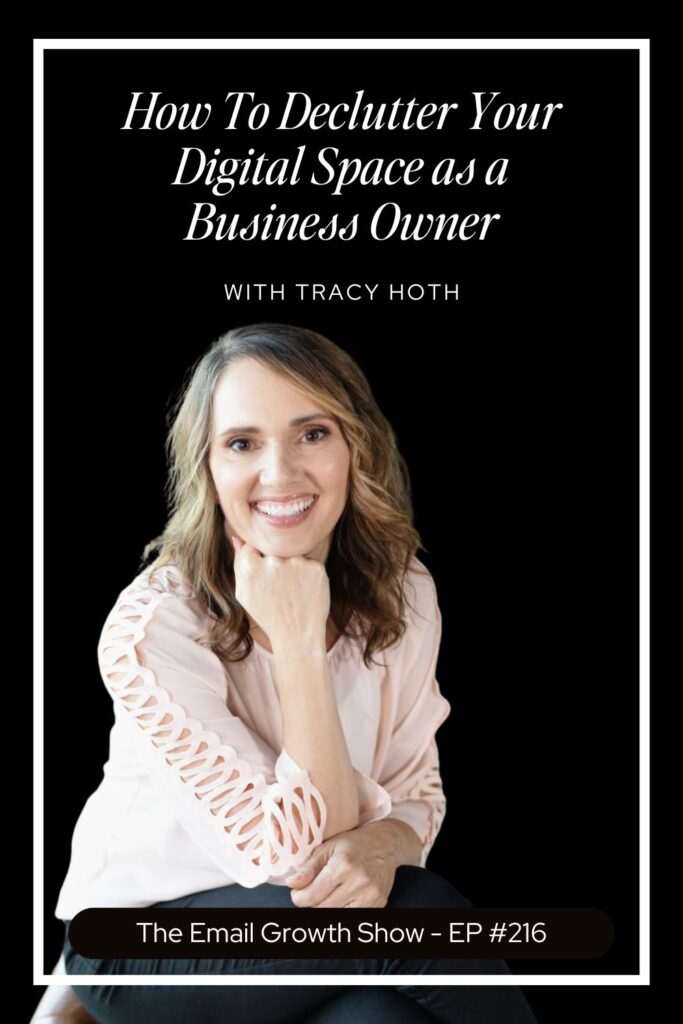
Tracy Hoth (rhymes with “both”) is the heart behind Simply Squared Away. Since launching her organizing business in 2008, she’s guided hundreds of clients – from homes to offices – and mentors coaches and entrepreneurs on creating order in their work and life.
Website: https://simplysquaredaway.com
Learn her 5 file folder system (on-demand class): CLICK HERE
My podcast episode with Tracey: 108 | Tired of Social Media? Grow Your Audience Like This Instead With Kylie Kelly
your next step…
Ready to organise more than just files?
If your backend is messy, your visibility usually is too. That’s why I created the – a $44 personalised video review where I walk through your visibility, email list, and offers, and show you the exact 3 clarity shifts I’d make if I were in your shoes. And I can help you uncover it.
Business Breakthrough Audit →Read the full transcript
00:00Tracy Hoth:Sort, purge, assign homes, set limits, and maintain. Those are the five steps to organize literally everything. Your mind, your computer, your schedule, your stuff, your closet, everything.
00:16Kylie Kelly:Are you a female business owner frustrated with battling the algorithm and looking for growth strategies that don’t involve awkwardly pointing or dancing online or throwing cash at paid ads? Welcome to the Email Growth Show. I’m your host, Kylie Kelly, visibility and email marketing strategist. I grew my email list from zero to almost 10,000 subscribers in less than two years, and the same is possible for you, too.
00:39Tracy Hoth:Are you ready to build your email.
00:40Kylie Kelly:List and start making more money in your online business? Let’s head into today’s episode.
00:48Tracy Hoth:Tracy, welcome to the podcast. I’m so excited to have you.
00:51Tracy Hoth:Thanks, Kylie. I can’t wait to talk all about organization.
00:55Tracy Hoth:Oh, my goodness. I’m excited, too. For anyone that is tuning in that doesn’t know who you are, let’s start there. There though, can you share a little bit about yourself, what you do, where you are, all the things?
01:05Tracy Hoth:Yes. I’m in Kansas City, Missouri, in the states. So in the very middle of the country. My name is Tracy Hoth and I have been a professional organizer for 17 years. I have also am a certified life coach. And so I combine the practical steps of organizing with all the mindset and identifying as an organized person. I have one program that helps the regular people with their life in their house, and I have one program that helps business owners organize their businesses.
01:36Tracy Hoth:Your house and your business must be so organized.
01:40Tracy Hoth:Well, here’s the thing. I am down to earth, like, practical person, and I always like to start with what is organization mean? Like, what is being organized mean? And it’s just that you can find things that you know what you have and you can find things when you need them. So that is me. I’m not super anal and I’m not, you know, everything’s not color coordinated. I have less stuff, I think, because I’ve practiced this for so long, but I still have the same challenges. Like, oh my gosh, I have this habit of downloading things to my desktop and I need to move them to the folders where they belong. So I’m literally just like everybody else. I’ve just practiced this more and have the structure set up in my own head and in my spaces so that it’s probably easier.
02:26Tracy Hoth:I love that because I do picture your color code quoted a house of perfection when he said you were an organizer. So I love that you shared that.
02:33Tracy Hoth:No, one time I walked into another organizer’s house like this was probably 10, 15 years ago, and she opened her pantry and I was like, oh, my gosh. Like, mine does not look like that. But I’m so proud of that. Like, it doesn’t have to look a certain way. And we just, I think, need to release that it looks a certain way. If you know what you have and you can find it, then start realizing and like, identifying. I am organized in that area.
02:58Tracy Hoth:I love that. So being that we’re speaking to a lot of business owners on this podcast, where would somebody start? So let’s just use me as an example. I am a hot mess on my computer. My download folder is like what you just described. You know, I, at the end of the year, I tuck it all in like a folder that says like 2024 and I don’t look at it again. That’s kind of my system. So where does somebody get started with becoming more organized in their business?
03:22Tracy Hoth:Yes. Okay. This is so fun. When you think about your. Let’s just go with digital files, because I think that is the biggest thing. You waste so much time looking for and trying to find what you need and duplicating things. And so I like to start by choosing one place, your one central place that you’re going to keep things. Now, that might be your computer.
03:44Tracy Hoth:If you’re. If nobody needs to access any of your stuff, it could just be on your computer. You could choose to use Google Drive if you’re a Google person. Like, keep it on Google Drive or some people have OneDrive or Dropbox, whatever the location is, you’re just deciding that that is my hub. I will store things in that one location. And then I have five files. I believe that you can have only five file folders to store your. Your digital files in for your business.
04:14Tracy Hoth:So I like to think of it like a filter. Things are coming into your computer and they are either going to go in home or a business, because most people have both on their computer. So home or business, when it’s in business, it’s like a little filter or a flowchart. It comes into business and then there’s five file folders, and they are operations. So anything inward facing anything it takes to run your business, and then marketing is outward facing anything to do that other people see. And then there’s my content, what you create. And then there’s education, anything that you’re taking in of other people’s. And then the fifth file is clients.
04:57Tracy Hoth:So now you have this really clear structure. You can make those five file folders and then we can talk about the steps to organizing, but you have those five file folders and you know, like in your mind, okay. Everything goes into one of those five places. And it just starts to simplify what happens when you bring things into your computer and when you look for things on your computer, it’s simplified.
05:22Tracy Hoth:I love how simple you make that because. And you’re right. How much time do we waste looking for that single PDF that we know is there, but we don’t know where it is? So I can imagine the amount of time that will save having a system like that.
05:33Tracy Hoth:Yes. And it’s simple. And you practice it and practice it and you just all of a sudden your mind is freed up from like, where do I find it? Even search. Like, you can search things if you want to have it a big mess, you could search, but it just doesn’t work all the time. You still can’t find it, and you’re duplicating and you didn’t name it and all of that. So good to have that foundation. And I have a class that people get free workshop where I walk people through that so they, you know, if they don’t remember it, they can go watch the workshop. But it.
06:05Tracy Hoth:It is just so freeing.
06:06Tracy Hoth:Okay, so you download something and then you move it straight away. Or do you have a system? How do you go about organizing things into those folders?
06:14Tracy Hoth:Yes. So first you have bad habits. We all. Not you. I wasn’t yelling at you. We have habits that we have to correct, and that might take some time and some practice. So ideally you want to touch it once. You’ve kind of heard that probably in house organizing, like, touch it once, put it away, and you would want to put it in the place that it goes.
06:36Tracy Hoth:But I mean, I often am in the middle of something. I want to be able to not have to click into folders to find it. So I download it to my desktop and then I use it. But then you have to just have some time where you clean that up, where you slide things in. And that’s the part where organizing becomes easy if you have the structure in place. So cleaning up my desktop’s easy because I know where things go. But I also could start practicing downloading them into the folders that they need to go in initially. And then I would save that step.
07:07Tracy Hoth:So that’s how you start to correct habits that you have and make it easier on yourself. But if you’re brand new to this and you’ve made those five file folders, then the first step to organizing is to sort. And you’re just going to take all your files and sort them into those five folders. You don’t have to rename things. You don’t have to make it neat. Just sort them into those five folders. Then the next step is to purge. You’re going to go back into each folder and that’s where you can open things up, look at them, say, do I really need this? And delete it.
07:40Tracy Hoth:Or that might be the step where you rename stuff in a systematic way. If you have a naming convention, you can rename things in that step. And then you’re going to decide, where are they going to live? They’re in that folder. But do they need a subfolder, the limit that you’re setting? Because the fourth step to organizing is to set limits. That would be the file folder. With digital, we literally have unlimited access, so it’s hard to set a limit. Maybe your storage space would run out of limits. But then the M is maintain.
08:11Tracy Hoth:So I don’t think I said those very clearly. Sort, purge, assign homes, set limits, and maintain. Those are the five steps to organize literally everything. Your mind, your computer, your schedule, your stuff, your closet, everything.
08:26Tracy Hoth:I love that. And especially breaking it down like that, because I’m one of those people that goes down a rabbit hole. So if I started opening everything up when I was sorting it and looking at it, I’d end up who knows where. Like, yes, I’ll not get it done.
08:38Tracy Hoth:That’s so true. And that’s what happens. Like, even me, I walk into my closet and I’m like, I have got to get rid of some stuff. So I walk in there, pull something out and think, should I get rid of this? Oh, I don’t know. Like, I don’t know, maybe I’ll wear that, you know, and then I just leave. Because I don’t know. I don’t. You can’t start by making decision, like hard purging type decisions.
08:57Tracy Hoth:It’s sorting is the first step and then everything you have in that category is there. You see it all at one time and it’s easier to make decisions.
09:06Tracy Hoth:Yeah, I love that you can even break it down. Right. So if we’re sorting and it is a hot mess and there’s a lot to sort, at least we can sort it all and then even do just like a folder a week or like do it in small chunks.
09:17Tracy Hoth:Yes, and I like to do that. When you first start and let’s say your computer’s just a mess, I would just start by Making the five folders on your computer, and then I open my doc documents and then slide everything into those five folders. Like, that could be one task. Then you’d open your downloads, you know, slide them into the folders. Then you open your desk or you’re on your desktop, slide it all into the folders, and pretty soon everything on your computer is in those five folders.
09:43Tracy Hoth:Okay, can I ask, does this apply to things like Canva? Because my Canva graveyard is completely insane. Do you apply Canva?
09:53Tracy Hoth:Canva is so bad. I have a podcast episode that talks about Canva and I actually had someone that is a designer that works in Canva on there. So there’s a link to a little workshop she did for us on the podcast episode. But since you couldn’t see it, I linked to that workshop. But I like using the same file structure as much as possible everywhere you do it. I use the same file structure in my email folders, and you can use the same file structure in your Canva account. So, you know, anything to do with operations would be in a folder. Anything to do that you create my content would be in a folder.
10:33Tracy Hoth:Anything someone else is giving you, like templates, you could start keep the original ones in education that would go under other people’s stuff. So you can create similar file structures in all of your stuff. And it just keeps your brain organized, I guess. But Canva is its own beast because it needs a lot of work. But that’s where the maintenance step comes in, to have at least some point where you are maintaining and moving files. But in that episode, it’s good because she talks about, okay, the first thing you do when you make a file or make a design is to name it and to put it in the folder that it lives. Same with when you bring something on your computer, name it, and put it in the file folder that it lives in. So those are two good things to start doing if you’re not doing that already.
11:25Tracy Hoth:I love that. And again, it’s all about creating these habits eventually. Right? Starting somewhere, getting some kind of organization, and then just building these habits over time. And it will get easier. I can imagine.
11:36Tracy Hoth:Yes. And the naming part of it in Canva is huge because I’ll go in there and just so quickly not name it or duplicate something and it’s five pictures down and I don’t have it named in a way. So then I search and I can’t find it. So, yes, it’s the thing.
11:51Tracy Hoth:Yeah, I’m the same.
11:52Tracy Hoth:Challenging.
11:53Tracy Hoth:Oh, I love this. So can we shift a little bit and talk? You mentioned your schedule a little bit earlier as well. Like how you organize your schedule. Can we talk a little bit about that as well? Like how does that look? As a business owner, do you do anything different when you’re thinking about your schedule or your calendar and organizing that as well?
12:11Tracy Hoth:Well, I use the steps to organize it. So whenever I’m feeling overwhelmed. Whenever you are feeling overwhelmed. Anybody listening? The first step is to sort of. So I sort on a piece of paper everything that I’m. That’s in my mind, all the tasks I need to do. And I do this once a week to get planning for the week. And once a month I do it with a group and we go in and plan our month by following these steps.
12:37Tracy Hoth:So I sort everything down and as I’m sorting, I like to put them in categories as much as possible. So phone calls I need to make different programs that I have in my business. I think, oh, gosh, I have to do that. I write that under that program name. You know, computer tasks I need to do, errands I need to run, however that looks. I sort all that out and then I go back through and purge. And when we’re looking at things to do, it’s like we can delay things. So if it’s something I know I just don’t have time to do this month, I can delay it.
13:09Tracy Hoth:And what I do is put it on the next month. Like either if you use a paper planner, you could put it on a. Post it on the next month and come back to it then. Or you could put it on an appointment on your digital calendar the first of the month and just know every first of the month. You delay things, things that you aren’t going to look at this month. And then you could delegate things and you delete things and then you have left the things that you want to do. So then you go into your schedule. So you’ve sorted, you’ve purged.
13:38Tracy Hoth:And now it’s assigning homes. So you’re assigning homes with appointments on your calendar. And that’s kind of how I plan my time.
13:47Tracy Hoth:That’s a big thing. When we are. We’re in control of how we spend our time as business owners. And I think that if there’s anyone listening that’s like me, my to do list is way longer than it should be me. And then that’s when the overwhelm creeps in. Right?
14:00Tracy Hoth:Yes.
14:00Tracy Hoth:And we don’t know where to start. So I love that.
14:03Tracy Hoth:Yes. That to do list, and that’s what I’m working with different clients right now, is to get the things that we’re not. I mean, we just can’t do it all but to get it out of our vision. And so by putting it even to next week, like you’re not going to look at it again now, you’re going to look at it next week so that you aren’t feeling that pressure or weight of all those things that you can’t get done.
14:26Tracy Hoth:Yeah, I often snooze emails in that way because everything comes into Gmail, which is what I use. And so I’ll just snooze them until the day I need to look at it. So I know it’s coming back, but it kind of is like, oh, it’s out of my brain, it’s out of what I’m looking at and I can forget about it until it comes back to me, which is really helpful.
14:41Tracy Hoth:Well, now I have a question about that because I just talked to someone that used the same term. Do you use, do you do that in Gmail or do you have a system on your computer?
14:50Tracy Hoth:No, it’s a Gmail thing. It’s literally like you can right click on your email inbox and snooze is one of the options and you just pick when to snooze it until. And then it comes back in like a new email. Whenever you set that date and time.
15:02Tracy Hoth:I have not done that yet. And he was talking about it too and I thought, oh my gosh, I need to start doing that. That would be so good. I have the two folders on the left that are to do and pending and then I will slide things over there. But I like the idea of snoozing it. I’m gonna have to try that.
15:19Tracy Hoth:Just don’t snooze it for all the same time and date because I’ve done that before by accident where I snoozed everything like 9am next week and then at 9am next week comes around and the inbox is like, I’m like, oh my lesson learned. Don’t do that again.
15:32Tracy Hoth:That’s so good because I can totally see how that would be valuable. As far as, you know, you put a block of time on your calendar for follow up or reading and then you have all those come back into your inbox at that time.
15:44Tracy Hoth:Yeah, absolutely. Or even deadlines. So like when I’m contributing to a summit or a bundle or something like that and I have a deadline that I have to submit by even snoozing it to the day before the deadline or a few days before. That way I’m like, oh, it’ll come back. I don’t need to worry about it. But it gives me enough time.
16:00Tracy Hoth:Yeah.
16:00Tracy Hoth:To action it then when I need to action it.
16:02Tracy Hoth:Yes. That’s interesting. Do you do that instead of putting an appointment on your calendar?
16:08Tracy Hoth:I do. So the way that I like my calendar. So in Google Calendar, I have all my calls, I block off. I normally do CEO weeks every second week. I don’t have many calls. So I work in the business, so I block off stuff like that. But I don’t put tasks. I was using the task list for a little while and then I wasn’t looking at it and it was like 27 pending tasks.
16:27Tracy Hoth:Oh, my gosh, that’s stressing me out. So that didn’t work for me. But yeah. Yeah. So I use the snoozing feature rather than putting things like that on my calendar.
16:36Tracy Hoth:That’s so. It’s so fun hearing how other people make it work. You know what I mean? Yeah.
16:41Tracy Hoth:Because we are all different. Right. So there’s a system that works best. Like, it’s good to have something to go from if you had. Don’t have a system at all. But then I guess you probably find your own flow as well as you’re doing it.
16:52Tracy Hoth:Yeah. And I think that’s what’s so important is what I work on is we test something. Did that work? Why? We ask why? Is it because you just didn’t do it, or is it because your mind doesn’t work like that? Or is there some other reason? And then we can test another option for, you know, time management or calendaring or whatever.
17:13Tracy Hoth:So the business owners that you work with, when they go from hot mess desktop, like I probably to a more organized system, do you find that they get just so much further ahead, like, in their business and their goals? Like, do you get these amazing testimonials of what that looks like? That transformation is not. Because it’s not just a feeling.
17:31Tracy Hoth:Right.
17:31Tracy Hoth:I guess the roi, because you’re getting more stuff done could be amazing.
17:35Tracy Hoth:Yeah. Yes. And then they’re able to focus on their clients. They’re able to create, you know, resources for their clients. They’re able to find things quickly and have so much more time to be able to spend. Or some of them are like, no, I just have free time. I don’t have to do more work time. I have free time to be able to do it.
17:56Tracy Hoth:I think it’s an Interesting thing, as I’ve talked to different clients and they’re like, now they feel more like a CEO instead of someone that’s a disaster. Behind the scenes, they’re trying to act like they are, but they. They’re feeling so disorganized. So they’re feeling more like a CEO. But I think a lot of times they didn’t realize how much stress or time it was taking even. I just talked to someone today, a client that I helped her with her bookmarks bar. That’s one of the biggest return on investments is having a bookmarks bar that is organized and efficient and all the things. Like if you join a program, I suggest making a folder linking in that a shortcut to their portal, a shortcut to the call link.
18:40Tracy Hoth:You know, all those things in a folder and you just. With one click, you have your notes, you have the portal login, you have the resource you’re working on or whatever. I mean, she was just like, Tracy, I. I spent. Their face lights up. They, like, I spent four hours on a Saturday just getting all this set up. And now I just have so much freedom. I feel like a CEO.
19:01Tracy Hoth:I’m more confident, and I have the ability to focus on and be creative the way I’m meant to be, you know, because everyone’s gifted in a different way. And so once they learn the skill of organizing, it just frees them up to use their gifts.
19:16Tracy Hoth:I love that because I feel like so often, and I mean, it goes to anything, right? You start with that pain point, like, so they don’t feel organized, so they come to you. But then look at what comes from that. And it’s not even the tangible first thing that they think that they’re signing up for or they think that they’re getting, and they get to experience this lightness and more white space and like, whatever, that. That mindset shifts and whatever comes as a byproduct, which is beautiful.
19:39Tracy Hoth:Yes. And then their processes. So then they can do a launch, and then they can do another launch because they have those processes in place, and they just become easier and easier as they go.
19:50Tracy Hoth:Yeah. Oh, my goodness. I love that you mentioned the bookmarks bar. Cause that’s something that I’ve never even thought to organize.
19:55Tracy Hoth:Oh, my goodness, it is. So that’s like one of my favorite things.
19:59Tracy Hoth:How many tabs do you have open at one time on your computer when you’re working?
20:03Tracy Hoth:Well, that’s just it. You don’t have to. Because you know that if it’s something you want to get back to. It’s in. It’s one click away. Now, there are times when you’re in the middle of something and then you have a call, so you don’t want to close those out because you’re in the middle of it. And then, you know, you might have another call and someone needs to get. So there’s some.
20:20Tracy Hoth:But, I mean, you should see what I’ve seen. There are like. Like three Chrome windows with 27 tabs each or a hundred tabs. I don’t know. I’ve. I’ve seen some where you can’t even see that something’s open or what it is. So it is. And it’s just a valid fear, like, I’m not going to be able to find that again.
20:38Tracy Hoth:And so once you solve for that, it’s like, huh. It’s just so much freedom.
20:42Tracy Hoth:I think one of my. I won’t say worst traits, but probably bad habits that you were referencing earlier. But one of my bad habits is I’ll just restart the tabs I had open yesterday every morning, and so it just reopens. And my thinking is that it saves time because I didn’t go and do all the things. But then there’s a million things there that I don’t need anymore or that I’m not really using right now. Yeah, that’s an interesting thing to think about with the bookmarks.
21:05Tracy Hoth:Or they’re just distracting because I’ll be like, oh, what’s that? Oh, and then click on it to see and then be like, oh, wait a minute. What am I doing? I wasn’t working on that. I was supposed to be over here doing this thing.
21:16Tracy Hoth:Absolutely. Those damn rabbit holes.
21:18Tracy Hoth:Yes. Yeah.
21:20Tracy Hoth:Oh, I love this. Okay, you’ve given me some things to think about. Absolutely. We’ll put the link. So what did we have? We had the link to the workshop where you. Through those buckets and those categories.
21:30Tracy Hoth:Yep. The five files. Yep.
21:31Tracy Hoth:Yep. And then we’ll put the link to that podcast episode with the Canva lady as well do that. Is there anywhere else they should go? Is that a good place for people to start this journey with you?
21:41Tracy Hoth:Yeah. And go. Just go to my website, simplysquaredaway.com and on there they can get to the five files if they want. I also have a file naming formula to get in a habit of consistently naming their files that’s on the website. And then my podcast, they can find all those episodes. I think I have a bookmark bar episode on the podcast as well, if they want to listen to that. As a start, too.
22:04Tracy Hoth:So amazing.
22:05Tracy Hoth:So good.
22:05Tracy Hoth:Oh, my goodness. Well, thank you so much for sharing so much with us. I cannot wait to hear everyone that listens to this, what they go and do. I would love to know and I would definitely keep you in the loop as well as I sort out my digital life.
22:17Tracy Hoth:Yes. Check in, tag me, tell me how it’s going.
22:21Tracy Hoth:I love it. Oh, perfect. All right, thank you so much, Tracy.
22:24Tracy Hoth:Thanks, Kylie.
22:25Tracy Hoth:Thank you so much for tuning into.
22:26Kylie Kelly:This episode of the Email Growth Show. I hope you found valuable insights into the next step you can take to grow your email list and boost your business without relying on social media or paid ads. If you enjoyed this episode, please take a moment to rate and review the.
22:41Tracy Hoth:Show and share it with others.
22:42Kylie Kelly:Your feedback helps me reach more female entrepreneurs just like you who are ready to say goodbye to social media and leverage email marketing to grow their business and make a bigger impact.
22:52Tracy Hoth:Thank you so much for listening and.
22:54Kylie Kelly:I’ll see you in the next episode.
Free · for every new episode
Grab the one sheet takeaways.
Podcasts are so easy to listen to and so much harder to act on afterwards. So every new episode gets its own cheat sheet: one page, with the key points, ready for when you finally sit down to do the thing.
More to listen to
The Email Growth Show
Grow your list without social media

EP 270: Before You Add Anything Else to Your Q4 Plan…
With Kylie Kelly
The Email Growth Show
Grow your list without social media
EP 268: Traffic, Hard Seasons & Staying The Course with Mara Riopel
With Kylie Kelly
The Email Growth Show
Grow your list without social media

EP 260: How to Plan the Rest of Your Year Without Burning Out with Katherine Mackenzie-Smith
With Kylie Kelly
Listener questions
Got a question for the show?
Record it in your own voice. I may answer it on a future episode.